

 All Posts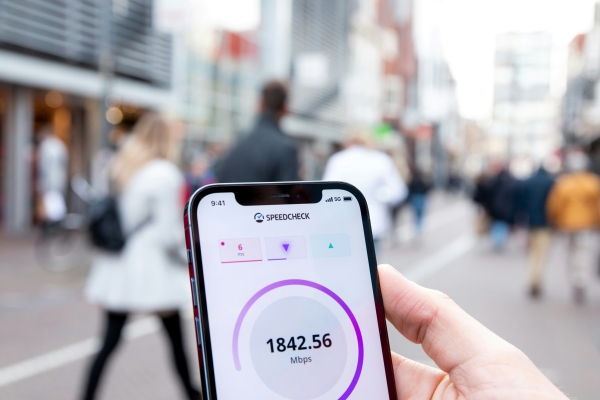
What Affects Internet Speed?
Why Your Internet Slows Down
At a glance:
- Internet speed is measured in Mbps and split between download (receiving data) and upload (sending data); most household activities lean on download speed.
- Key factors that affect speed: your plan/speed tier, NBN connection type (FTTP is fastest, FTTN can be variable), peak-hour congestion (7–11pm), modem-router age and placement, WiFi vs Ethernet, and signal interference.
- More connected devices and background activity like cloud backups, OS updates and auto-downloads quietly eat bandwidth and slow real-world performance.
- Slow internet at night is usually peak-hour congestion plus shared bandwidth and neighbouring WiFi interference, especially on the 2.4GHz band in apartments.
- Quick fixes: run a speed test, restart your modem-router, move closer to the router, disconnect unused devices, test with Ethernet, and switch to the 5GHz WiFi band.
- Longer-term fixes: reposition or upgrade your modem-router, hardwire high-priority devices via Ethernet, reduce background activity, and upgrade your NBN speed tier or switch provider if your household has outgrown its current plan.
Slow internet can be incredibly frustrating, especially when you are trying to stream, work, game or join a video call.
If you have ever wondered “why is my internet so slow?” or “why is my internet slow at night?”, the answer is usually a combination of factors rather than a single problem.
From your NBN speed tier and WiFi setup to peak-hour congestion and background downloads, many things can affect internet speed in Australian homes.
This guide explains what affects internet speed, what causes slow internet speeds and how to fix slow internet at home.
What is internet speed and how is it measured?
Internet speed refers to how quickly data moves between your device and the internet. It is usually measured in megabits per second (Mbps). The higher the Mbps, the faster your connection can handle activities like streaming, gaming, video calls and downloads.
There are two main measurements:
- Download speed: How quickly you receive data
- Upload speed: How quickly you send data
Most households focus on download speed because streaming, browsing and gaming rely heavily on downloading content.
You can check your current speeds using SpinTel’s online speed test.
What affects internet speed
Many different factors can affect internet speed and WiFi performance.
Your NBN or 5G plan and speed tier
Your internet plan sets the maximum speeds your connection can achieve.
For example, an NBN 25 plan is designed for lighter usage, while an NBN 100 or higher plan is better suited to larger households, 4K streaming and multiple connected devices.
If your household regularly streams, games or works from home simultaneously, your current plan may simply not provide enough bandwidth.
Your NBN connection type
Different NBN technologies can impact speed and reliability.
Common connection types include:
- FTTP (Fibre to the Premises) – Fibre optic cable runs directly to your home, offering the fastest and most reliable NBN speeds.
- FTTC (Fibre to the Curb) – Fibre runs close to your property, with the final connection using existing copper lines. Usually capable of strong performance for most households.
- FTTN (Fibre to the Node) – Fibre runs to a nearby street node, while older copper wiring connects the rest of the way to your home. Speeds can vary depending on the quality and length of the copper line.
- HFC (Hybrid Fibre Coaxial) – Uses a combination of fibre and existing cable TV infrastructure. Can deliver high speeds but performance may fluctuate during busy periods.
- Fixed Wireless – Uses radio signals between a tower and an antenna installed at your property. Speeds can be affected by weather, distance and network congestion.
Generally, FTTP connections support the highest and most consistent speeds. Older copper-based technologies like FTTN may experience more variability.
You can learn more in SpinTel’s guide to NBN connection types.
Network congestion during peak hours
One of the biggest causes of slow internet in Australia is network congestion during peak evening hours.
This typically happens between 7pm and 11pm when many households are streaming, gaming and browsing at the same time.
Shared network demand can reduce real-world speeds, particularly on lower-tier plans.
Your modem and router
Your modem-router plays a major role in WiFi performance.
Older devices may struggle to deliver modern internet speeds, especially in larger homes or homes with many connected devices.
Router placement also matters. Placing your router inside cupboards, behind televisions, near thick walls or on the floor, can weaken your WiFi signal significantly.
WiFi vs Ethernet
WiFi is convenient, but Ethernet connections are usually faster and more stable.
An Ethernet connection uses a physical cable between your device and modem-router rather than a wireless signal. Many homes use Ethernet for devices that need the most reliable performance.
Devices connected via Ethernet cable often experience:
- Lower latency
- More consistent speeds
- Better gaming performance
- Fewer dropouts
For gaming consoles, work computers, smart TVs or streaming devices, Ethernet can make a noticeable difference, particularly during busy evening periods.
Signal interference and walls
Physical obstacles and wireless interference can slow down your internet.
Common causes include:
- Brick or concrete walls
- Microwaves
- Bluetooth devices
- Baby monitors
- Nearby WiFi networks
Large homes or apartments can experience weaker signals in certain rooms, particularly if the router is poorly positioned.
Number of devices connected at once
Every connected device shares your available bandwidth.
Smart TVs, phones, tablets, gaming consoles, security cameras and smart home devices can all compete for internet capacity.
The more devices actively using the internet, the slower your connection may feel.
Background apps, downloads and updates
Automatic software updates and cloud backups can quietly consume bandwidth in the background.
Large downloads, operating system updates or streaming on multiple devices may slow down your connection without you realising it.
The website or server you are connecting to
Sometimes the issue is not your internet connection at all.
Websites, gaming servers or streaming platforms can experience their own slowdowns or outages, especially during busy periods.
If only one website or app is slow, the problem may be external.
ISP throttling and shaping
Some providers apply speed shaping or data management policies during periods of high demand.
This may affect speeds on certain plans or services.
Always review your provider’s fair use and speed policy to understand how your connection is managed.
What causes slow internet speeds at home?
Slow internet at home is often caused by a combination of setup issues and network demand.
Quick self-check
Before assuming there is a major issue, try:
- Running a speed test
- Restarting your modem-router
- Moving closer to the router
- Disconnecting unused devices
- Testing with Ethernet instead of WiFi
If your NBN connection has dropped out, resetting your equipment may help.
Common household culprits
Some of the most common household causes of slow internet include:
- Poor router placement
- Too many connected devices
- Outdated modem-router hardware
- Weak WiFi coverage
- Background downloads
- Older NBN connection types
When the problem is outside your home
Sometimes slow internet is caused by broader network issues outside your control.
This can include:
- Local NBN outages
- Network maintenance
- Peak-hour congestion
- Server-side issues
- Severe weather affecting fixed wireless services
Why is my internet slow at night?
If your internet slows down in the evening, you are not alone.
Peak hours in Australia
Australian internet usage typically spikes between 7pm and 11pm.
This is when households are most likely to:
- Stream Netflix or YouTube
- Play online games
- Use video calls
- Download updates
Higher demand during these hours can affect speeds across the network.
Shared bandwidth and the evening slowdown
Many internet services rely on shared network infrastructure.
As more users connect simultaneously, congestion can reduce available bandwidth and impact real-world performance.
Lower-speed plans may feel this more noticeably during busy periods.
WiFi interference from nearby networks
In apartments and densely populated suburbs, neighbouring WiFi networks can interfere with your signal during peak times.
This is especially common on the 2.4GHz WiFi band.
What to try when your internet is slow at night
If your internet slows down every evening, try:
- Switching to the 5GHz WiFi band
- Using Ethernet for important devices
- Restarting your modem-router
- Limiting simultaneous streaming
- Upgrading your speed tier
- Checking for background downloads
Is your internet speed normal?
The right internet speed depends on how many people use your connection and what you use the internet for each day.
As a general guide:
- NBN 25 plans are usually suitable for light browsing, social media and occasional streaming.
- NBN 50 plans are better suited to small households with regular HD streaming and multiple connected devices.
- NBN 100 plans are often ideal for larger households, 4K streaming, gaming and working from home.
- NBN 250 and above are designed for heavy internet usage, large families and homes with many simultaneous users and smart devices.
If your household regularly experiences buffering, lag or slow downloads, your current speed tier may no longer match your internet usage habits.
How to test your internet speed properly
Running a speed test is one of the easiest ways to check whether your internet connection is performing as expected.
To test your internet speed:
- Connect your device to your modem-router. For the most accurate results, use an Ethernet cable instead of WiFi if possible.
- Pause any large downloads, streaming services or online gaming running in the background.
- Open SpinTel’s speed test tool in your web browser.
- Click “Go” or “Start Test” and wait for the test to finish.
- Review your download speed, upload speed and latency (ping) results.
For a more accurate picture of your connection, try running multiple tests throughout the day. This includes during peak evening hours between 7pm and 11pm when internet congestion is often highest in Australia.
If your results are consistently much lower than your plan’s typical evening speeds, it may indicate issues with your WiFi setup, modem-router, network congestion or your current speed tier.
How to improve your internet speed
Move your router
Place your router:
- In a central location
- Elevated off the floor
- Away from thick walls and appliances
Switch to the 5GHz WiFi band
The 5GHz band can provide:
- Faster speeds
- Less interference
- Better performance for streaming and gaming
Although it may have slightly shorter range.
Use Ethernet for high-priority devices
Ethernet is often the best option for:
- Gaming PCs
- Smart TVs
- Work computers
- Video conferencing
Upgrade your modem-router
Older hardware may not support modern WiFi standards or faster NBN speeds.
A newer modem-router can improve coverage and performance significantly.
Reduce background activity
Try limiting:
- Cloud backups
- Automatic updates
- Large downloads during peak times
Upgrade your NBN speed tier
If your household has outgrown its current plan, upgrading to a faster speed tier may provide a noticeably better experience.
SpinTel offers a range of NBN and wireless internet plans designed for different household needs.
When you should upgrade your NBN plan or switch provider
If you consistently experience the following issues it may be time to review your internet plan or provider.
- Slow evening speeds
- Buffering during streaming
- Lag while gaming
- Dropouts during video calls
- Congestion with multiple users
A higher-speed NBN plan or 5G home internet service may better suit households with growing internet demands.
FAQs
Why is my WiFi slower than my plan speed?
WiFi speeds are usually lower than wired Ethernet speeds because wireless signals can be affected by distance, walls, interference and connected devices.
How much speed do I need for streaming and gaming?
Smaller households may manage with NBN 25 or NBN 50, while larger households with gaming, 4K streaming and multiple users often benefit from NBN 100 or higher.
Does the weather affect internet speed?
Weather can sometimes affect fixed wireless and mobile broadband services, particularly during storms or severe conditions.
Can my neighbours slow down my internet?
Nearby WiFi networks can cause wireless interference, especially in apartment buildings or densely populated areas.
 Chat on Messenger
 Chat on Whatsapp
 Chat with us