

 All Posts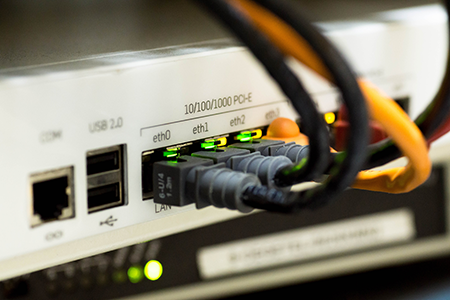
How to Get the Fastest NBN in Australia
By Ned McRae
If you’re looking for the fastest internet in Australia, the NBN is your gateway to high-speed, reliable connectivity. Operated by NBN Co, the network delivers internet through a mix of fibre, cable and fixed wireless technologies to millions of homes and businesses.
This guide explains how to get the fastest possible NBN speeds available in Australia. It covers what speed tiers exist, how connection types like FTTP and HFC affect performance, and how you can check whether your home can be upgraded to support higher speeds. It’s designed to help you understand what determines your NBN speed and how to make the most of your connection, whether that’s through choosing the right plan or improving your setup at home.
We’ll break down which connection types deliver the highest speeds, how SpinTel’s NBN plans compare, and what steps you can take to ensure you’re getting the best performance possible.
Which NBN Connection Types Offer the Fastest Speeds?
Your maximum achievable speed depends on how the NBN network reaches your home. There are several connection types in Australia, each with different performance limits.
Fibre to the Premises (FTTP)
FTTP delivers fibre-optic cabling directly to your property, allowing you to access every available NBN speed tier, including NBN 1000 plans offering download speeds of up to 1000 Mbps and upload speeds of up to 50–100 Mbps. This is the fastest and most reliable NBN connection type currently available in Australia.
Hybrid Fibre Coaxial (HFC)
HFC uses existing pay-TV cabling to connect your home. Many HFC addresses can now access speeds of 500 Mbps and 750 Mbps, depending on network capacity.
Fibre to the Curb (FTTC)
FTTC extends fibre to a pit near your home, with the last few metres running over copper. It supports plans up to 100 Mbps, or sometimes higher after upgrades.
Fibre to the Node (FTTN) and Fibre to the Building (FTTB)
These rely on copper wiring for the final stretch, which limits speed and reliability. Most FTTN and FTTB connections cap out at 100 Mbps, though some properties are now eligible for fibre upgrades.
Fixed Wireless and Satellite
Designed for regional and remote areas, these connections use radio or satellite signals. Fixed wireless and satellite connections typically deliver speeds between 25–100 Mbps and are best suited for light to moderate internet use.
Can You Upgrade Your NBN Connection Type?
Yes. NBN Co’s Fibre Connect program is currently upgrading eligible FTTN and FTTC homes to FTTP for free when customers order a faster NBN plan (usually NBN 100 or higher).
You can check eligibility on the NBN Co website or by contacting your provider. If you qualify, SpinTel will arrange the fibre installation and upgrade your service to a faster speed tier.
Understanding SpinTel’s NBN Speed Tiers
SpinTel offers a range of NBN plans designed to balance speed, value, and flexibility. Each plan includes unlimited data, $0 setup, and no lock-in contract.
Home Starter 25/10 Mbps – Great for small households using the internet for browsing, streaming and social media. Typical evening speed: 25/8 Mbps | $51 per month for 6 months, then $64.95 ongoing
Home Fast 100/20 Mbps – Ideal for families streaming, gaming and working from home. Typical evening speed: 100/18 Mbps | $73 per month for 6 months, then $86.95 ongoing
Home Turbo 500/50 Mbps – Perfect for large households or those who need extra bandwidth for multiple devices. Typical evening speed: 500/42 Mbps | $73 per month for 6 months, then $86.95 ongoing
Home Turbofast 750/50 Mbps – SpinTel’s fastest residential plan for ultra-smooth 4K streaming, gaming and future-proof performance. Typical evening speed: 750/42 Mbps | $80 per month for 6 months, then $90.95 ongoing
These speed tiers give Australians access to some of the fastest and best-value NBN plans available. You can check your address on the SpinTel website to see which plans your connection type supports.
Choosing the Right Speed for Your Home
While it’s tempting to choose the fastest plan available, it’s important to match your speed tier to your household’s needs.
25/10 Mbps (Home Starter): Ideal for singles or couples browsing, emailing and watching HD video.
100/20 Mbps (Home Fast): Perfect for families of 3–4 who stream in 4K, game online and work from home.
500/50 Mbps (Home Turbo): Great for large households or heavy internet users with multiple devices.
750/50 Mbps (Home Turbofast): Best for tech enthusiasts, content creators and anyone wanting ultra-fast, future-ready internet.
How to Get the Fastest NBN Speeds Without Upgrading Your Plan
Even with a fast plan, real-world speeds can vary. Try these steps to improve performance:
Use a wired Ethernet connection for the most stable speeds.
Position your modem in a central, elevated location away from walls and other devices.
Restart your modem regularly to refresh its memory.
Reduce interference by limiting connected devices during peak hours.
Check that your modem supports your plan’s speed tier.
Run an internet speed test. If your results are consistently lower than expected, contact SpinTel for assistance.
SpinTel for Fast, Reliable NBN
SpinTel offers some of the fastest NBN plans in Australia, all with unlimited data, no setup fees and no lock-in contracts. Whether you’re after a simple 25 Mbps plan or want to experience ultra-fast 750 Mbps speeds, SpinTel has you covered.
Check your address today to see which plans are available and get connected to a faster, more reliable NBN experience.
Frequently Asked Questions
1. What is the fastest NBN plan available from SpinTel? SpinTel’s fastest residential plan is Home Turbofast 750/50 Mbps, with a typical evening speed of 750/42 Mbps.
2. How do I check my NBN connection type? You can check your connection type on the NBN Co rollout map or by contacting SpinTel directly. They can confirm whether your property has FTTP, HFC, FTTC, FTTN or fixed wireless.
3. Can I upgrade to a faster NBN connection type? Yes. If you’re eligible for an upgrade to fibre, SpinTel can arrange a free fibre upgrade when you order a faster plan such as Home Fast or above.
4. Do I need the fastest NBN plan? Most households will find 100 Mbps or 500 Mbps sufficient. The 750 Mbps plan is best for power users, large households or anyone who wants to future-proof their connection.
5. Why am I not getting the full speed I’m paying for? Speeds can vary due to Wi-Fi interference, modem performance, or network congestion. Try connecting directly via Ethernet to test the true speed of your service.
6. How can I improve my NBN speed without changing plans? Reposition your modem, restart it regularly, reduce connected devices and ensure your modem supports your plan’s maximum speed.
7. What’s the difference between download and upload speeds? Download speed affects how fast you can stream or browse, while upload speed affects how quickly you can send data, such as sharing files or using video calls.
8. Does SpinTel offer business NBN plans? Yes. SpinTel offers business NBN solutions with higher reliability and support for operations that rely on stable, high-speed internet.
 Chat on Messenger
 Chat on Whatsapp
 Chat with us